OpsGenie EOL · April 2027
When production burns,
every second counts.
On-call alerting that pages through Do Not Disturb, drops into your existing webhooks, and costs $8 a seat. Not $25.

On-call alerting that pages through Do Not Disturb, drops into your existing webhooks, and costs $8 a seat. Not $25.
Built for 3 AM, not for demos. The full lifecycle — page to postmortem — at one flat price.
Every schedule's 24-hour timeline shows who is covering right now and until when — rotations, overrides, and follow-the-sun across every team, at a glance.

GenieKey-compatible API. Alertmanager, Prometheus, Grafana — one-line URL change.
iOS Critical Alerts and Android DND-bypass mean P1s wake you up. Reping keeps firing until someone acknowledges. Push is free, forever — no SMS bill.
Declare, update stakeholders, write the postmortem — without leaving the alert.
We can't read your alerts. Support access is invite-only and fully audited.
Push alerts free forever on every plan. No per-alert charges. No gated features.
$8 /user/mo — complete
See pricing →From alert to acknowledged in seconds. Every screenshot below is the real product — no mockups — and they follow your light/dark preference.

Filter by status, search full-text, then ack, snooze, take, or close in one click. Select rows for bulk actions across the whole list.

Severity banner, metadata, and the complete activity timeline — acknowledgements, assignments, and operator notes, all audited.

Every schedule card summarizes its rotations, participants, timezone, current on-call, and overrides — no digging required.

Filter pills, the on-call banner, and severity-coded cards with source and relative time. Swipe a card for quick actions.

Rule-based triage before the page ever fires: suppress known-noisy sources, delay low priorities, and promote the signal that matters — ordered, with a dry-run against real alert history.
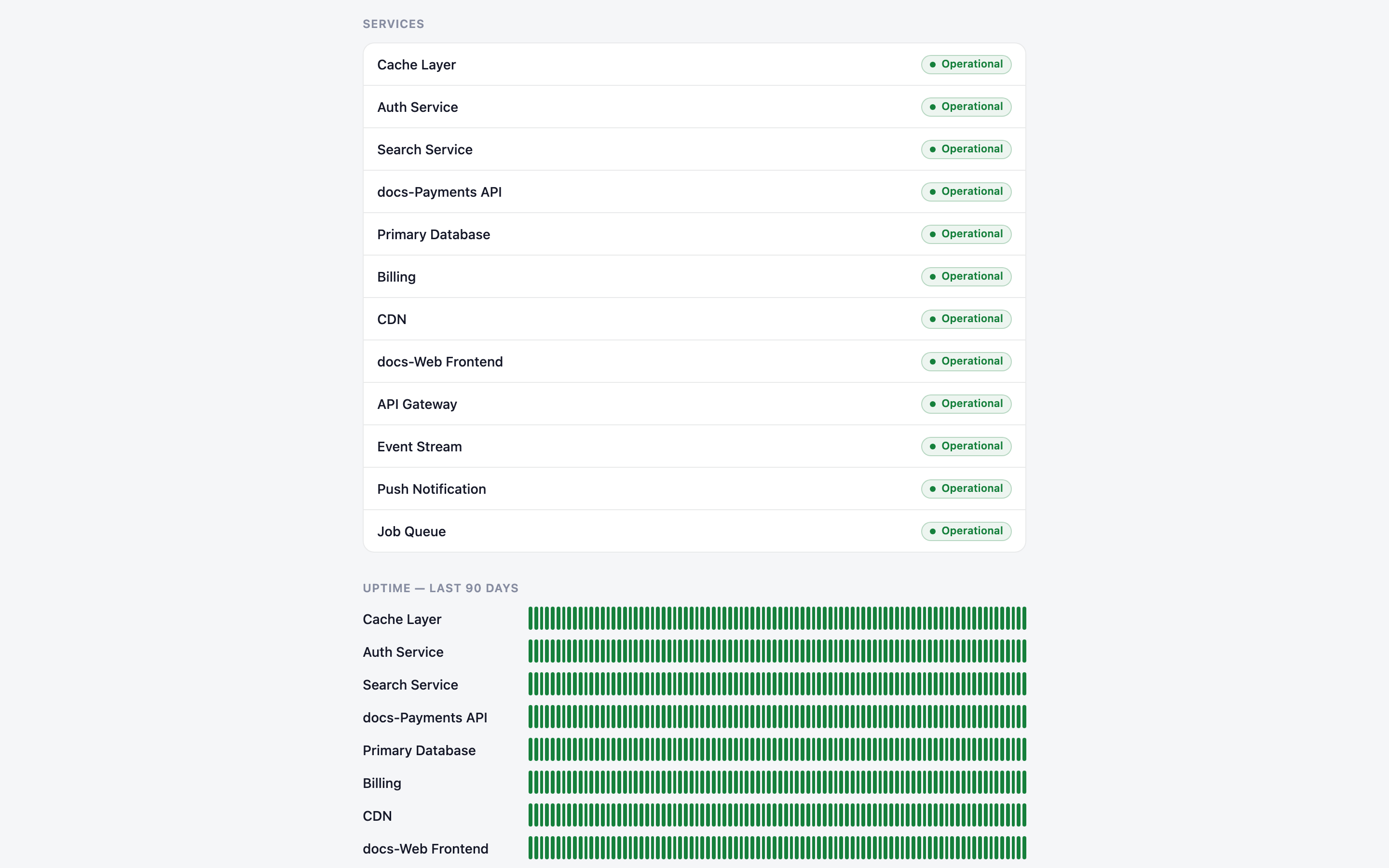
Publish incidents to a branded, public status page with uptime bars and email subscriptions (double opt-in) — configurable visibility from open to fully gated.
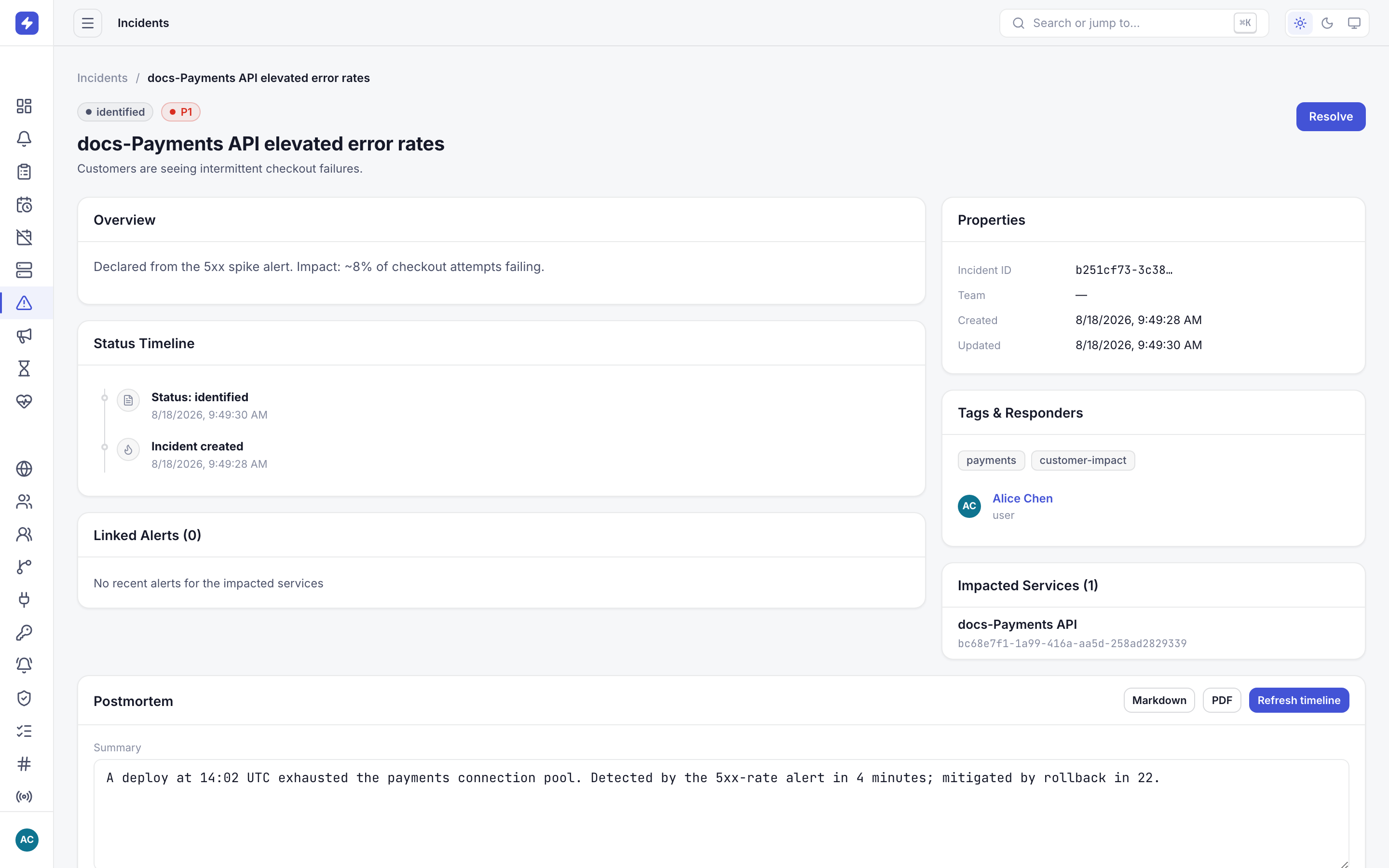
One click turns an incident's full audit trail into a reviewable postmortem — timeline, impact, and resolution — ready to share with stakeholders.
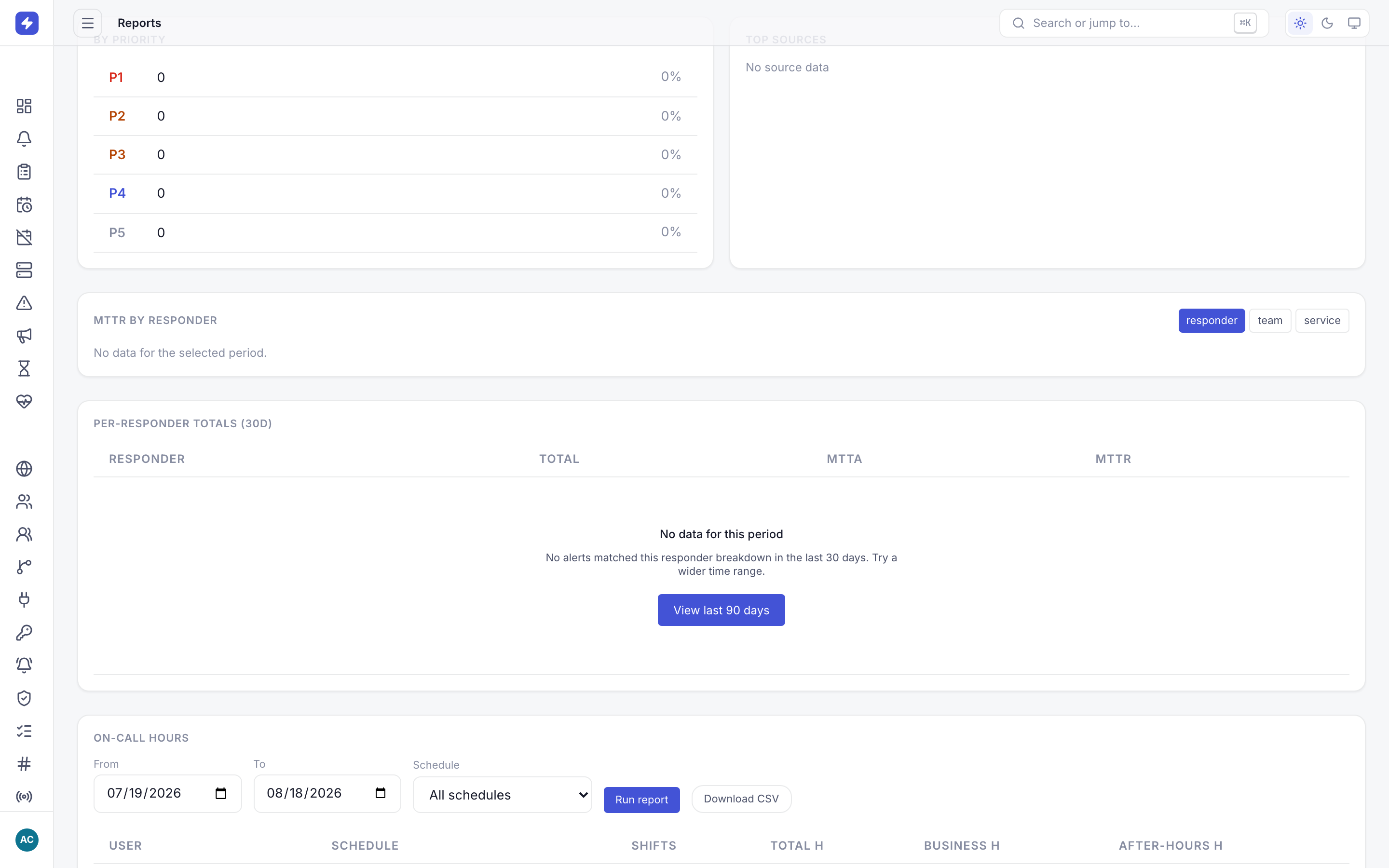
Fairness by the numbers: per-user on-call hours from rotations and overrides, split into business-hours vs after-hours, exportable as CSV.
Generate a key in OpsPing. Works like your old provider's — GenieKey headers accepted.
One line per integration. Webhooks, Alertmanager receivers, custom scripts — unchanged.
Set up your team and schedule once. You're back to sleep.
When legacy on-call tools stagnate, teams look for better options. Here's what they find.
| Category | Legacy Tools | OpsPing |
|---|---|---|
| Price per user/month | Legacy incumbents — typically $21–25/user on comparable tiers | $8/user — up to 68% less |
| Product status | Opsgenie end-of-sale — support ends April 5, 2027 | Actively developed, drop-in GenieKey compatibility |
| SMS / Voice costs | Silent 25–100 message caps, or baked into $20–40 seats | Push-first — free forever |
| On-call core | Gated behind higher tiers and add-ons | Complete at $8 — ungated |
| Migration effort | Complex migration path | One-line URL change |
| UX consistency | Web + app split UX | Unified modern UI — light & dark themes |
Opsgenie® is a trademark of Atlassian. OpsPing is not affiliated with, sponsored, or endorsed by Atlassian. Opsgenie end-of-sale and end-of-support dates per Atlassian's announcement.
Push alerts are free and unlimited on every plan. No hidden fees. No per-alert charges.
For small teams getting started
Best for growing engineering teams
For large teams with compliance needs
SMS/voice fallback is billed at provider cost against your flex credit. Push is free. Always. Stakeholder seats (push-only, no paging) are free on every plan and don't count toward user limits.