Follow status as a stakeholder
Not everyone needs to be paged — some people just need to know what's on fire. Stakeholders get a free, non-paging tier built around the Status tab: a live view of incidents, service health, maintenance, and announcements.
- An OpsPing account with the stakeholder role (your admin assigns this — see Teams & administration).
- The mobile app installed and signed in, per Mobile setup.
Responders see five tabs (Alerts, On Call, Health, Status, Settings) and get paged. Stakeholders see just Status and Settings — you're never paged, and the paging-specific tabs simply don't appear for you.
-
Open the Status tab
The Status tab is the stakeholder home — it answers "is everything okay?" at a glance. From the top down it shows:
- Overall status banner — green when all systems are operational, red when there's a major incident, with a count of how many are active and since when.
- Active incidents — each open incident with its severity, affected service, when it started, and the latest update.
- Services — every tracked service and whether it's Operational, Degraded, or Down.
- Maintenance — windows in progress or scheduled in the next 24 hours.
- Announcements — broadcasts from your team (see Announcements).
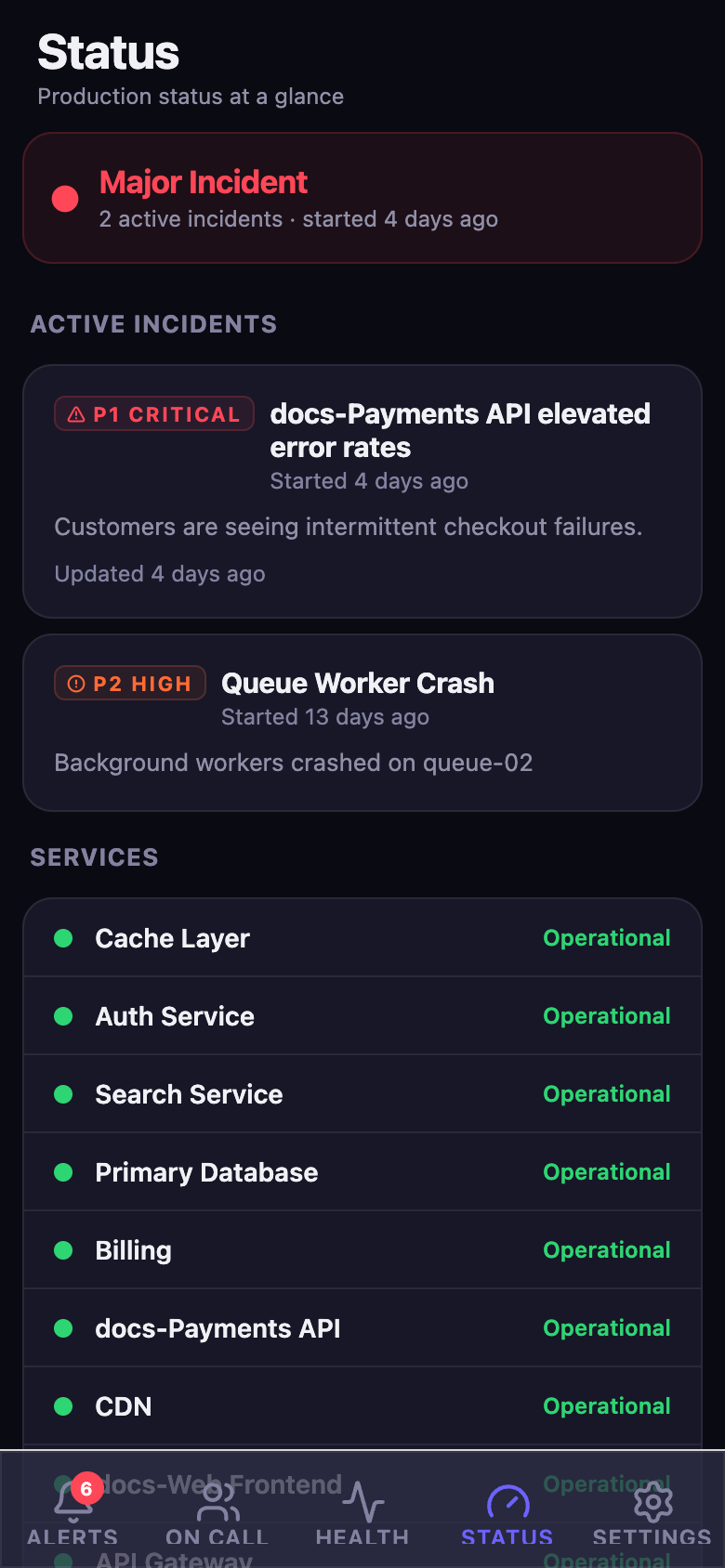
The Status tab during a major incident: the banner turns red and counts active incidents, followed by the incident list, service health, maintenance, and announcements. -
Read an incident
Each active incident shows its severity (P1 Critical, P2 High, and so on), the service affected, when it started, and the latest status update. Tap one to see the full incident — timeline of updates and which alerts are linked to it.
-
Check service health
The Services list is the health dashboard: each service shows Operational, Degraded, or Down. When you're chasing "is X broken for everyone or just me?", this is the answer — Degraded or Down means it's not just you.
-
Get notified without being paged
Stakeholders aren't paged for alerts, but you still get push notifications for announcements and incident updates. That keeps you informed of the big stuff while leaving the 3 AM pages to the on-call responder.
TipIf you find yourself needing to act on alerts — ack, escalate, resolve — ask your admin to change your role to responder. The Status tab stays; you just gain the paging tabs too.